For Home Assistant
A dashboard OS, not a weekend project
Flash one image and power it on. It signs itself in and boots straight to your dashboard — no login screen, ever.
x86 with mainline Linux support · Raspberry Pi 4 and 5
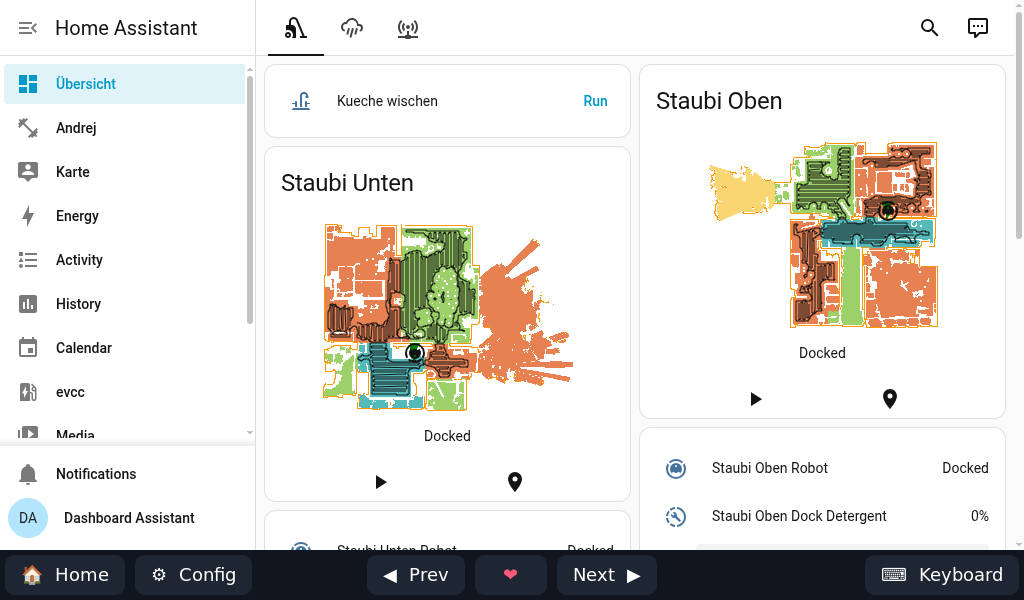
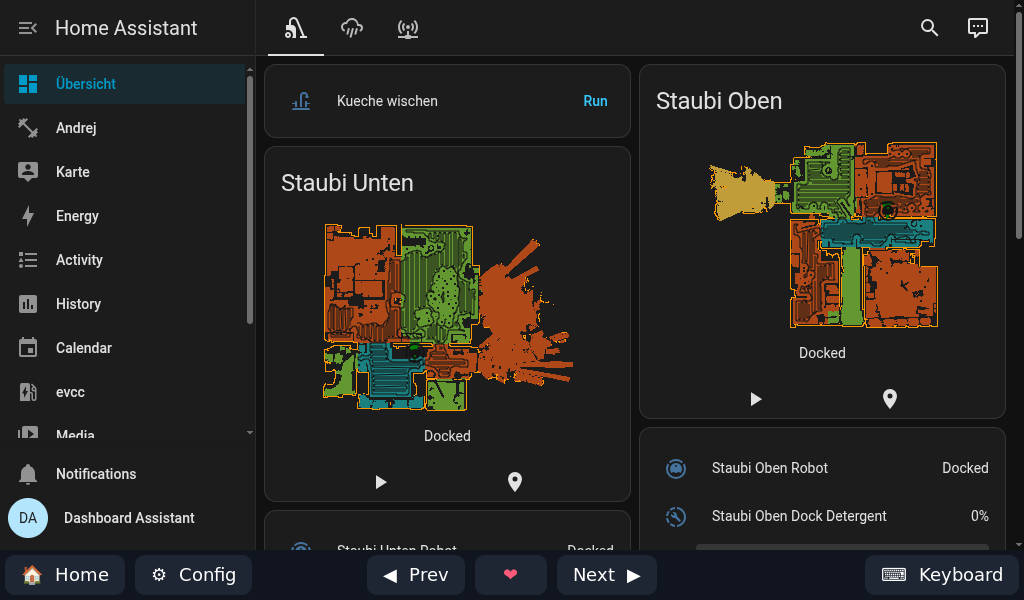
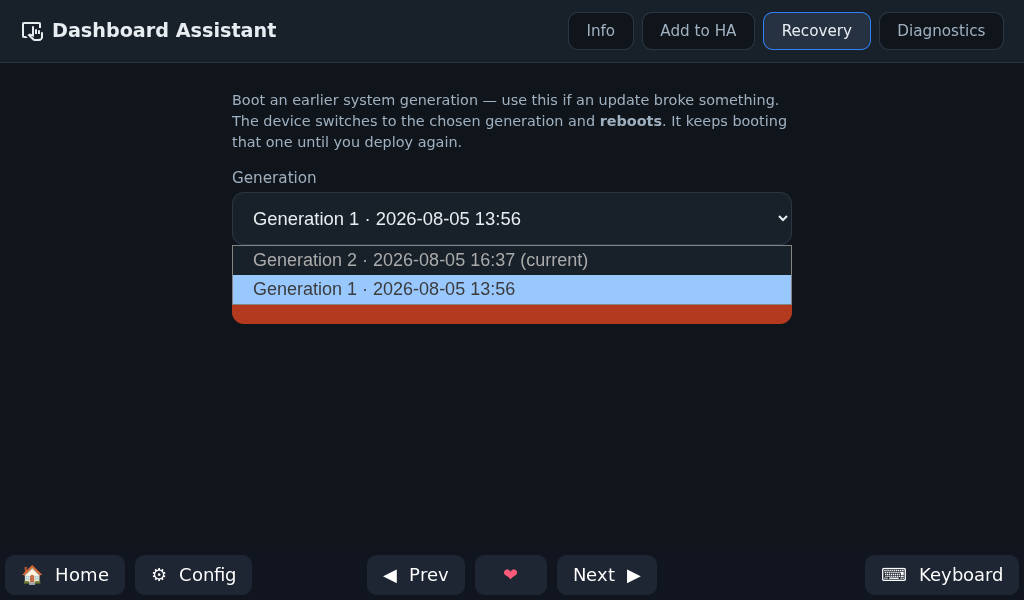
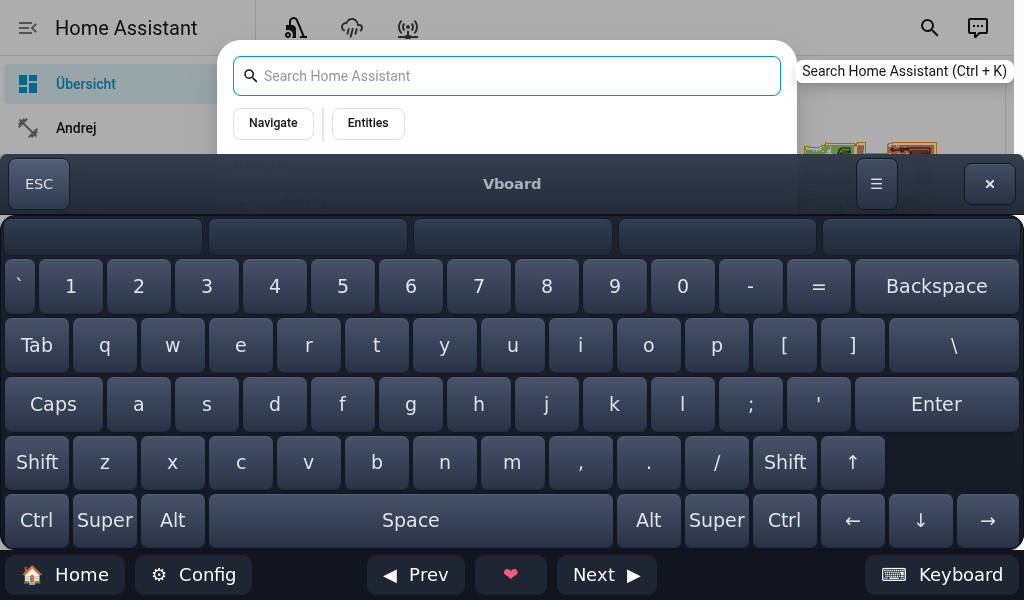
Flash. Boot. Use.
Roughly five minutes, most of it the flash.
Flash
Write one image to an SD card or SSD and put it in your tablet, mini-PC or Raspberry Pi. Nothing to partition, no installer to click through.
Boot
Power on. On Ethernet it just joins; on Wi-Fi it uses the credentials from your seed file. Then it pairs itself with Home Assistant.
Use
It opens your dashboard and stays there. Nothing to log into, and it appears in Home Assistant as a device you can automate.
It's not just for you
A screen on the wall gets used by whoever walks past it.
No app, no account, no login
It boots to your dashboard and stays there — no login screen, ever. Guests, kids and housemates tap the wall to turn on a lamp or nudge the heating, without an app on their phone or an account of their own. Nothing on that screen can re-point the device or roll it back; that lives on an admin page on your own network.
Pick an album on the wall, hear it everywhere
The panel is a Sendspin player in your Music Assistant group, so it plays in step with your other speakers. And when Music Assistant runs as the Home Assistant add-on, its full interface is right there on the screen — browse the library and send what you pick to any room. Nobody has to log in.
The boring parts, handled
Made for a screen you look at — not a computer you look after.
No Linux knowledge
There is no desktop to configure, no lock screen to disable and no autostart to wire up. The image ships as the finished thing.
Signs itself in
It logs in to Home Assistant for you and boots straight to your dashboard — no login screen to tap through every time.
Part of Home Assistant
The screen shows up in Home Assistant like any other device. Turn it on or off, dim it, or have your automations do it for you.
Show any page
Add as many dashboards or websites as you like and flip between them — from Home Assistant or a tap on the screen.
Made for touch
Tap to wake the screen and type with the on-screen keyboard. No mouse or keyboard to plug in.
Also a speaker
A built-in Sendspin player joins a synchronized group alongside your other speakers. Music Assistant runs it, and the audio never leaves your network.
Updates from Home Assistant
When a new version is ready, install it from Home Assistant with one tap. No terminal, nothing to re-flash.
Easy to undo
If an update ever misbehaves, go back to a version that worked — from a simple admin page on your own network, no re-flash, no site visit.