Create Home Assistant User
Warning
Create a dedicated Kiosk user. Do not use your own user, otherwise everyone with access to the tablet has admin access. You have been warned!
Go to users via this link:

Add user:
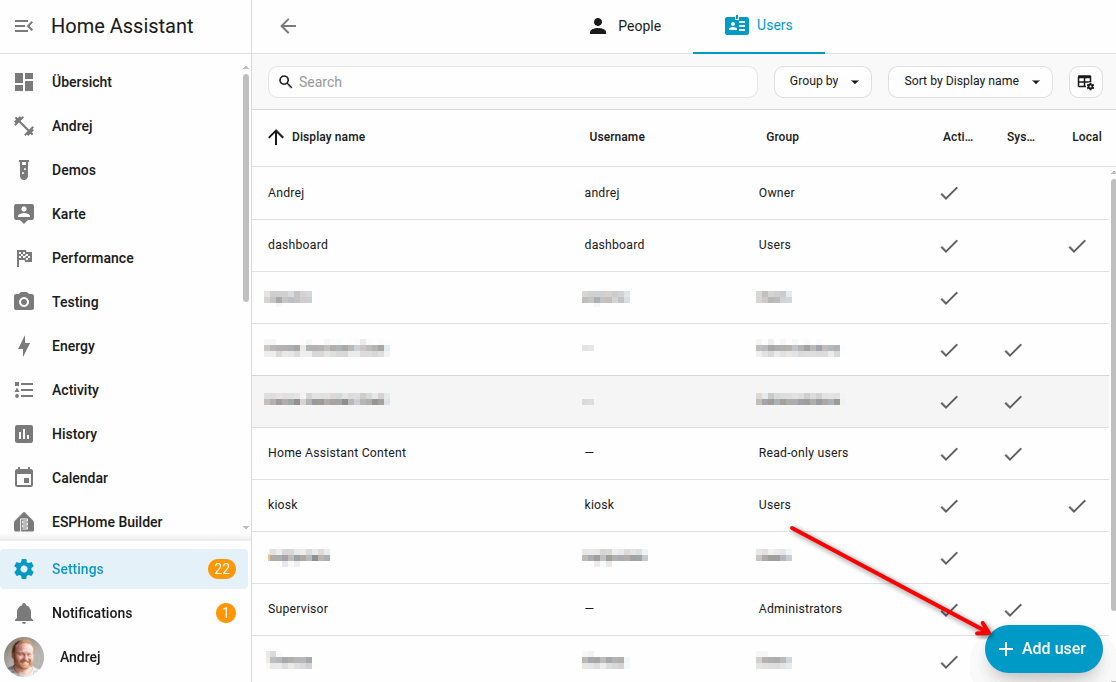
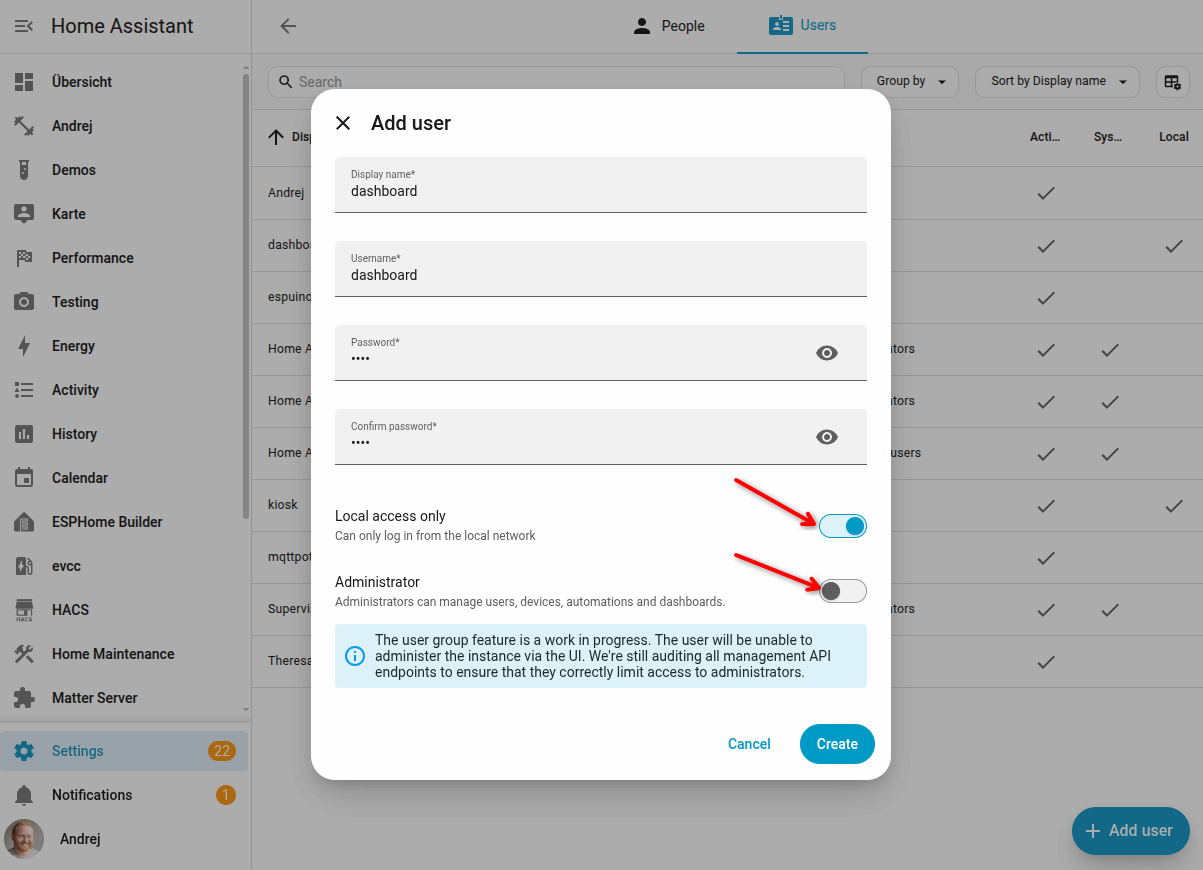
- give that user local access only
- do not give admin rights
Get Home Assistant Token
Log in as that user in your home assistant instance. You can use a icognite tab by right click and choose "open in incognito window"
Open your Home Assistant instance
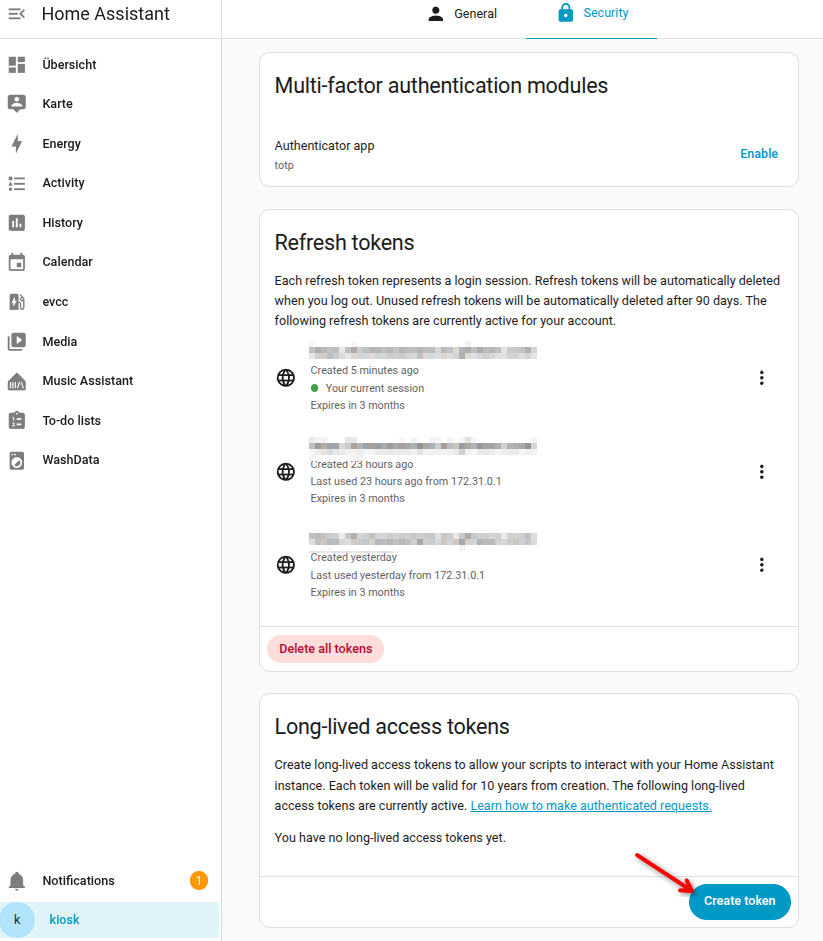
Go to user security for the kiosk/dashboard user:

Generate a long-lived access token:
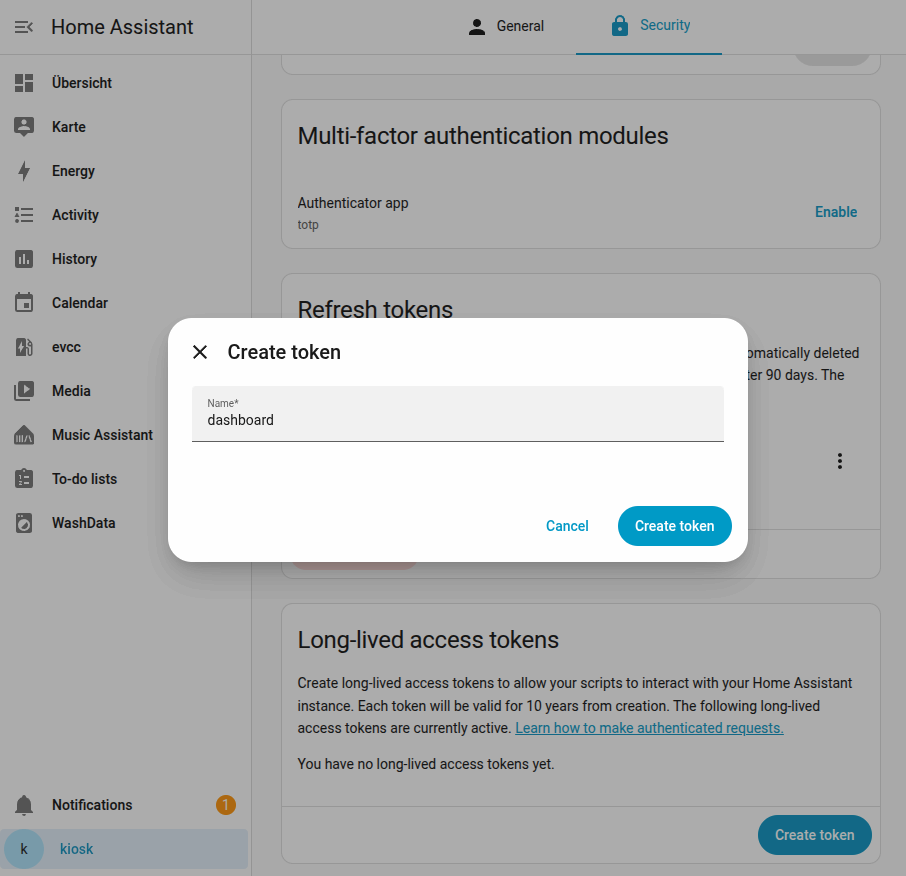
Give the token a name:
 Copy the token to you text editor, password manager.
You need it later.
Copy the token to you text editor, password manager.
You need it later.
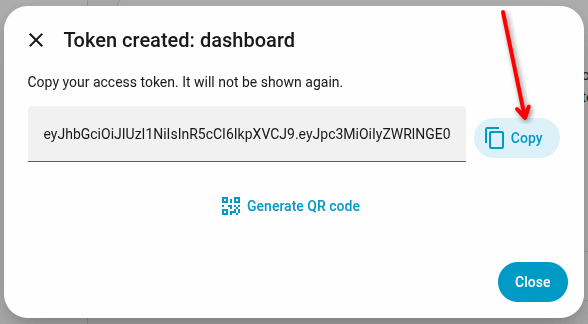
Token looks like this: